
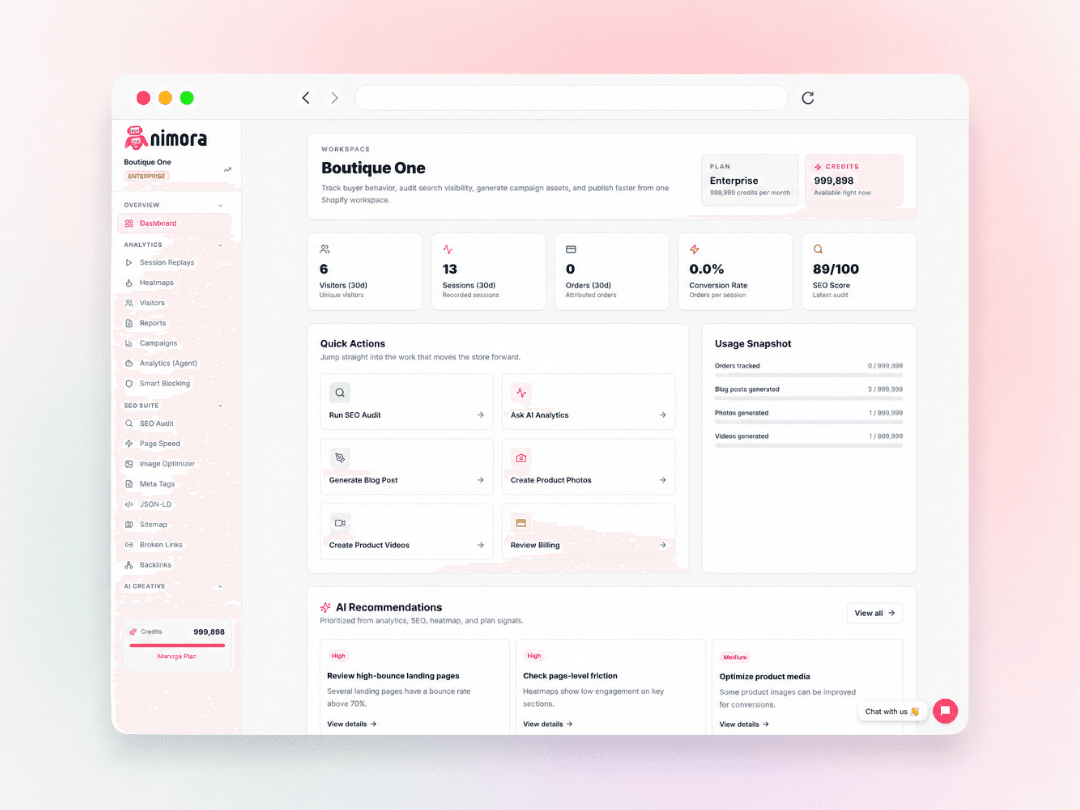
Industry playbook

Nimora for Agencies & Multi-store.

Give client teams a shared workspace for audits, reports, creative output, and review-before-publish workflows.

Best for teams managing more than one storefront.

Nimora ecommerce workspace for Agencies & Multi-store

SEO

Clean metadata, schema, sitemap, image alt text, and broken link issues before they compound.

Media

Create product photos, product videos, and campaign assets that match live catalog context.

Insight

Use replays, heatmaps, visitors, campaigns, and reports to decide what to fix next.

What to focus on first

Build the weekly rhythm around the work that actually moves conversion.

Client-ready reports

Shared review queues

Repeatable operating rhythm

Creative that keeps pace

Product content should move as fast as your catalog.

Nimora helps teams turn product context into social-ready visuals, product videos, and campaign creative while the page data and shopper signals stay nearby.

Denim launch

10s product creative

Eyewear reveal

10s product creative

Skincare drop

5s product creative

Supplement brand

15s product creative

Denim launch

10s product creative

Eyewear reveal

10s product creative

Skincare drop

5s product creative

Supplement brand

15s product creative

Denim launch

10s product creative

Eyewear reveal

10s product creative

Skincare drop

5s product creative

Supplement brand

15s product creative

UGC unboxing

15s product creative

Ad-ready reel

10s product creative

Wholesale hero

10s product creative

SaaS explainer

5s product creative

UGC unboxing

15s product creative

Ad-ready reel

10s product creative

Wholesale hero

10s product creative

SaaS explainer

5s product creative

UGC unboxing

15s product creative

Ad-ready reel

10s product creative

Wholesale hero

10s product creative

SaaS explainer

5s product creative

How the loop works

Every workflow should move toward a better store page.

Nimora keeps the practical pieces close together: find the weak page, understand the shopper behavior, create the missing asset, approve the change, and watch the next result.

Audit the page

Find SEO, speed, content, and structured-data gaps around the products that matter.

Understand the behavior

Use visitors, campaigns, heatmaps, and replays to see where shoppers hesitate.

Create stronger assets

Generate product photos, videos, and content from actual catalog context.

Review before publish

Keep the final decision visible before updates reach the storefront.

FAQ

Questions before you connect a store.

Is Nimora useful for Agencies & Multi-store stores that already have analytics?

Yes. Nimora is designed around the work that happens after a metric changes: replay the shopper path, inspect SEO gaps, create stronger product media, and review what should be fixed next.

Can my team review changes before anything goes live?

Yes. Nimora keeps generated media, SEO updates, and content work visible before publish so operators can approve the right output instead of pushing blind changes.

What should we try first?

Most Agencies & Multi-store teams start with one of three workflows: run an SEO audit, review visitor friction on key product pages, or generate better media for a high-priority product.

Does this work for more than Shopify?

Shopify is the fastest install path. Nimora also supports WooCommerce through the WordPress plugin and Wix through the current store connection flow.

Start with one store workflow

Connect Nimora and find the next page worth improving.

Install Free